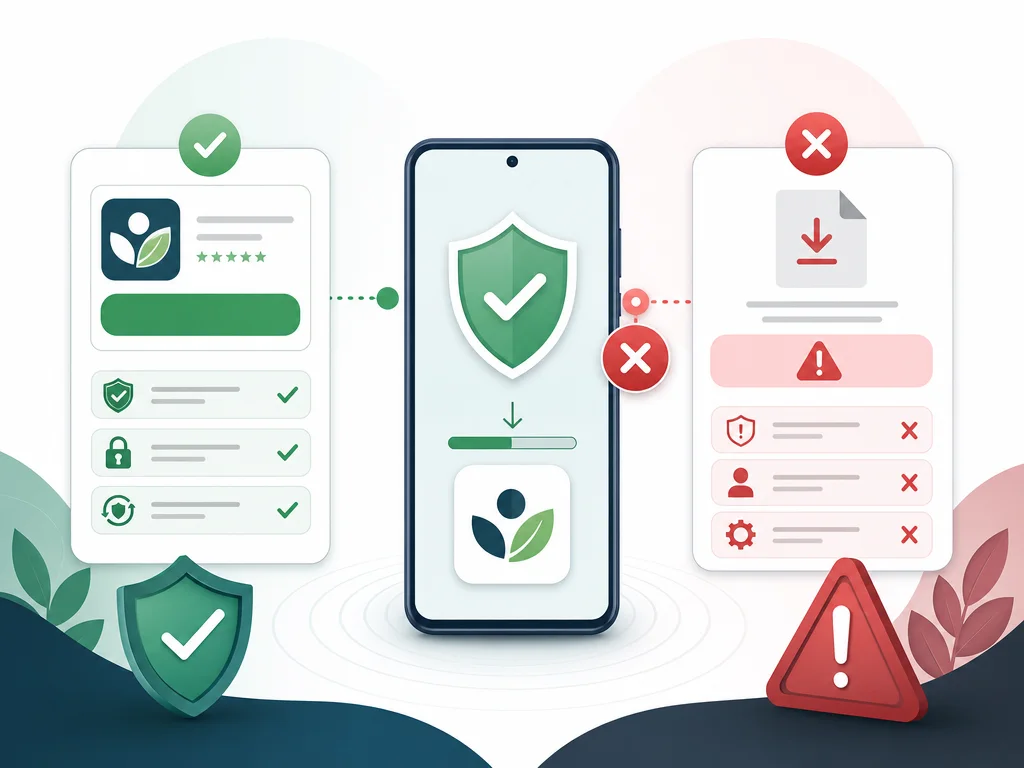
Use official sources
Install from official app-store listings or links provided by government departments. Do not download random APK files from SEO pages, social comments or file-sharing links. Unofficial APKs may be old, modified or unsafe for credentials.
If a department has a specific workflow, follow that workflow first. This page is general safety guidance and not an official release channel.
Before updating
Check device storage, Android version, login credentials and whether your department has issued a new app workflow. Write down the current app version before troubleshooting a new problem after update.
After installation
If login fails after install, move to the login help guide. If OTP fails, use the OTP page. If records are missing after a successful login, use the no-data page. This internal path helps users and search engines understand the troubleshooting cluster.
How to identify risky APK pages
Risky pages often promise a latest APK, fast login fix, modded version or direct download without sending users to an official store or government source. They may also surround the download with unrelated ads or ask for personal details. Avoid those pages, especially when the app is connected with official work.
A safe download page should clearly say that it is not official, should point users to official sources and should not ask for credentials. This page follows that pattern and exists to reduce unsafe clicks from search results.
Update preparation checklist
Before updating, make sure the device has enough storage, the operating system is supported, the current login details are known and any department instructions have been read. If the phone is used for field work, do the update when there is enough time to test login afterward.
If an update creates a new problem, record the app version, device model, time of update and exact message. That information is more useful than immediately installing an older APK from an untrusted page.
What to do if the app is not visible in the store
If the official listing is not visible, check spelling, country or account restrictions, device compatibility and department guidance. Do not treat a random mirror site as the next best option. An unavailable listing may mean the device or account is not eligible for that version.
If a supervisor or department has shared an official process, follow that process. This website cannot verify app release eligibility for a particular worker or region.
Why this download page links to calculator pages
Some users searching for app download are actually looking for a Poshan Calculator app or a way to calculate child growth. This page separates the official app workflow from the independent calculator workflow. The user can move to the calculator without being asked for login details.
This is also useful for SEO. It catches app-download intent while passing authority to the calculator and troubleshooting cluster through relevant internal links.
Safe wording for sharing this page
When sharing this page, describe it as safe Poshan Tracker app download guidance or official-source install notes. Do not describe PoshanTracker.org as the official app provider. The page exists to guide users toward official sources and away from unsafe mirrors.
This distinction matters because using official-sounding language can mislead users and weaken trust. A good long-term SEO strategy for this niche should be explicitly independent and careful with government-adjacent terms.
If an update breaks login
If login fails immediately after an update, do not assume the update itself is fake or broken. First check whether the app came from an official source, then note the version, device model, time and error message. Move to the login help or OTP page depending on where the flow fails.
If the issue affects many users after the same update, collect consistent examples and escalate through official channels. Replacing the app with an unofficial older APK can create security and compatibility problems.
Why this page avoids direct APK hosting
Hosting APK files would attract clicks, but it would also create trust and safety problems. The better SEO strategy is to publish safe guidance, link to official sources and help users understand what to avoid. That aligns with the long-term authority goal for a health and public-service adjacent site.
Competitor research showed that low-quality external mentions and unrelated APK-style links are risky patterns. This page intentionally takes the opposite approach.
Download intent vs calculator intent
Some searchers type Poshan calculator app when they want a mobile calculator. Others want the official Poshan Tracker app. This page separates those paths clearly. Official app users get safe source guidance, while calculator users are routed to the public Poshan Calculator page.
Separating intent helps ranking because each page answers a specific query family. It also prevents the site from pretending to be an official app provider, which would be unsafe and could reduce trust.
How to cite this app guide
A relevant article or training note can link to this page with anchor text such as safe Poshan Tracker app download guide, official app install notes or avoid fake Poshan Tracker APKs. Those anchors describe the actual page and avoid over-optimized repetition.
The page should not be promoted as an APK mirror. Its value is safety, source routing and troubleshooting context. That makes it a better long-term authority asset than a direct download page with thin text.
Post-download troubleshooting path
After a safe install, users should test login on a stable network. If OTP fails, use the OTP guide. If login works but records are missing, use the no-data guide. If the app displays a new error, use the common errors hub and record the exact message.
This post-download path gives the user a next step and spreads internal authority through the troubleshooting cluster. It is also a better user experience than ending the page at a store link.